Edit STL Files Like a CAD Model
An STL is just triangles — you can't simply type a new hole diameter into it. BasicCAD analyzes the mesh and rebuilds what it can as real sketches and features, so a downloaded model becomes a part you can actually edit.
Open an STL Free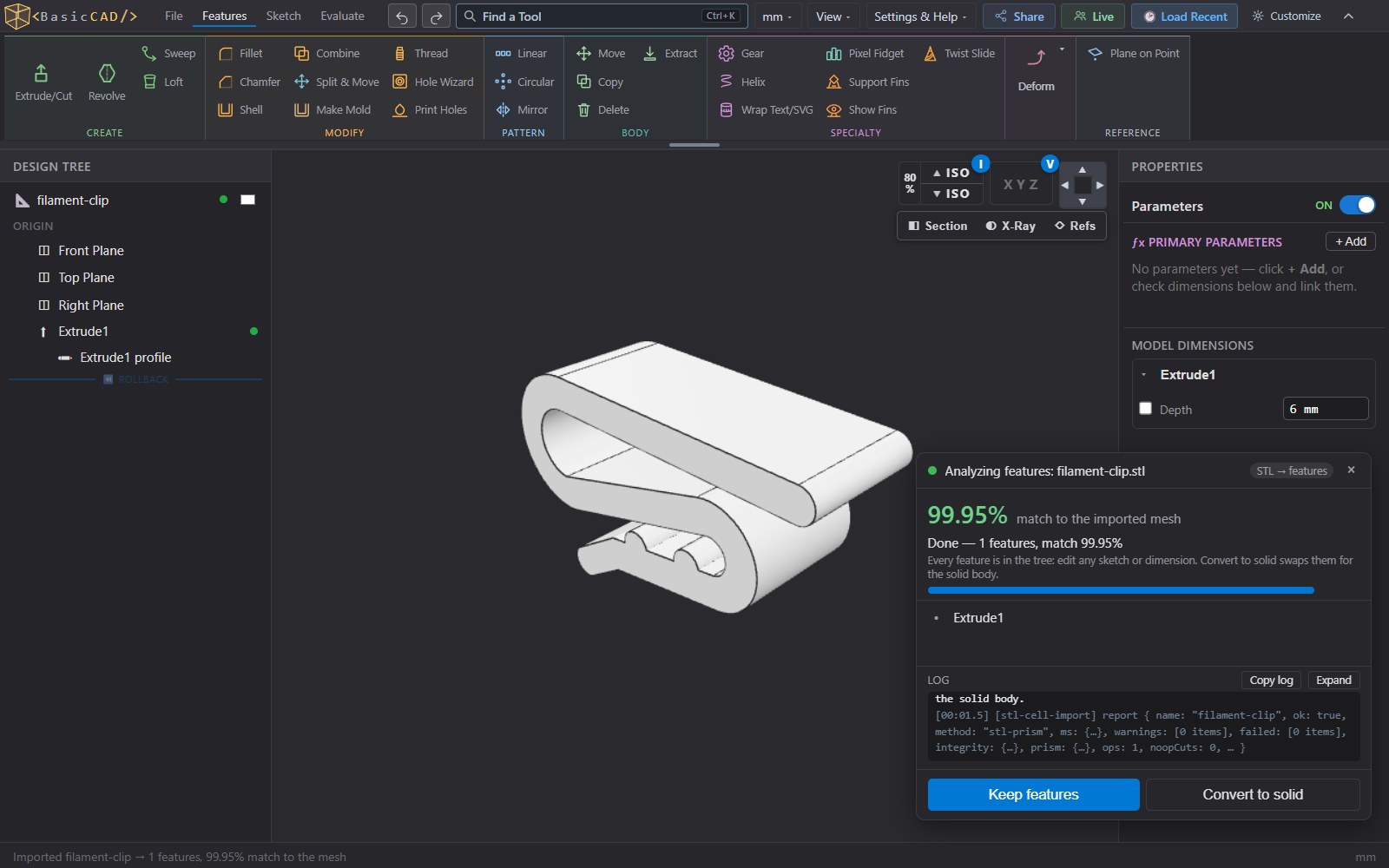
How It Works
- Open an STL or 3MF file (File ▸ Import, or drag it onto the window). Multi-part 3MF files from slicers come in part by part.
- Choose Recognize features. BasicCAD fits planes, cylinders and profiles to the mesh and rebuilds the part as sketches, extrudes, revolves, cuts, fillets and chamfers — showing a live match percentage against the original.
- Keep the features and edit them like any part: change a dimension, re-sketch a profile, add a hole, fillet an edge.
- Export a fresh STL, 3MF or STEP. Exports are tessellated from exact solids, so they come out watertight and slice without repairs.
Not every mesh can become clean features — organic sculpts and scanned objects stay a solid body. You can still cut, extend, combine and engrave that body with normal CAD features, which is often all a fix needs.
Common STL Fixes
Resize a hole
A bolt doesn't fit? Edit the recognized cut's diameter instead of guessing a scale factor for the whole model.
Add a mount or tab
Sketch on any face of the imported part and extrude a bracket, boss or screw tab onto it.
Add threads
Replace a plain hole with a modeled, printable thread from the Hole Wizard — ANSI or metric, with print clearance.
Engrave text
Add editable text or an SVG logo and cut or emboss it — even wrapped onto curved faces.
Split for printing
Cut a model that is too big for the build plate into parts, or merge several meshes into one body.
Multi-color 3MF
Paint faces and export a multi-color 3MF that Bambu Studio, OrcaSlicer and PrusaSlicer read directly.
Private by Design
Many online STL editors upload your file to a server. BasicCAD does the mesh analysis and the CAD rebuild on your own computer, in Web Workers inside the browser — the file never leaves your machine. Big files are processed in the background so the page stays responsive.
STEP and OpenSCAD Too
The same idea works for other formats: STEP files from SOLIDWORKS, Fusion or Onshape are rebuilt as editable features when possible, and OpenSCAD .scad files can be imported and converted. Designing for print from scratch? See 3D printing in BasicCAD.
Fix Your Next STL in the Browser
Import and edit for free. Export plans start at $5 a month, with a 30-day free trial.
Launch BasicCAD